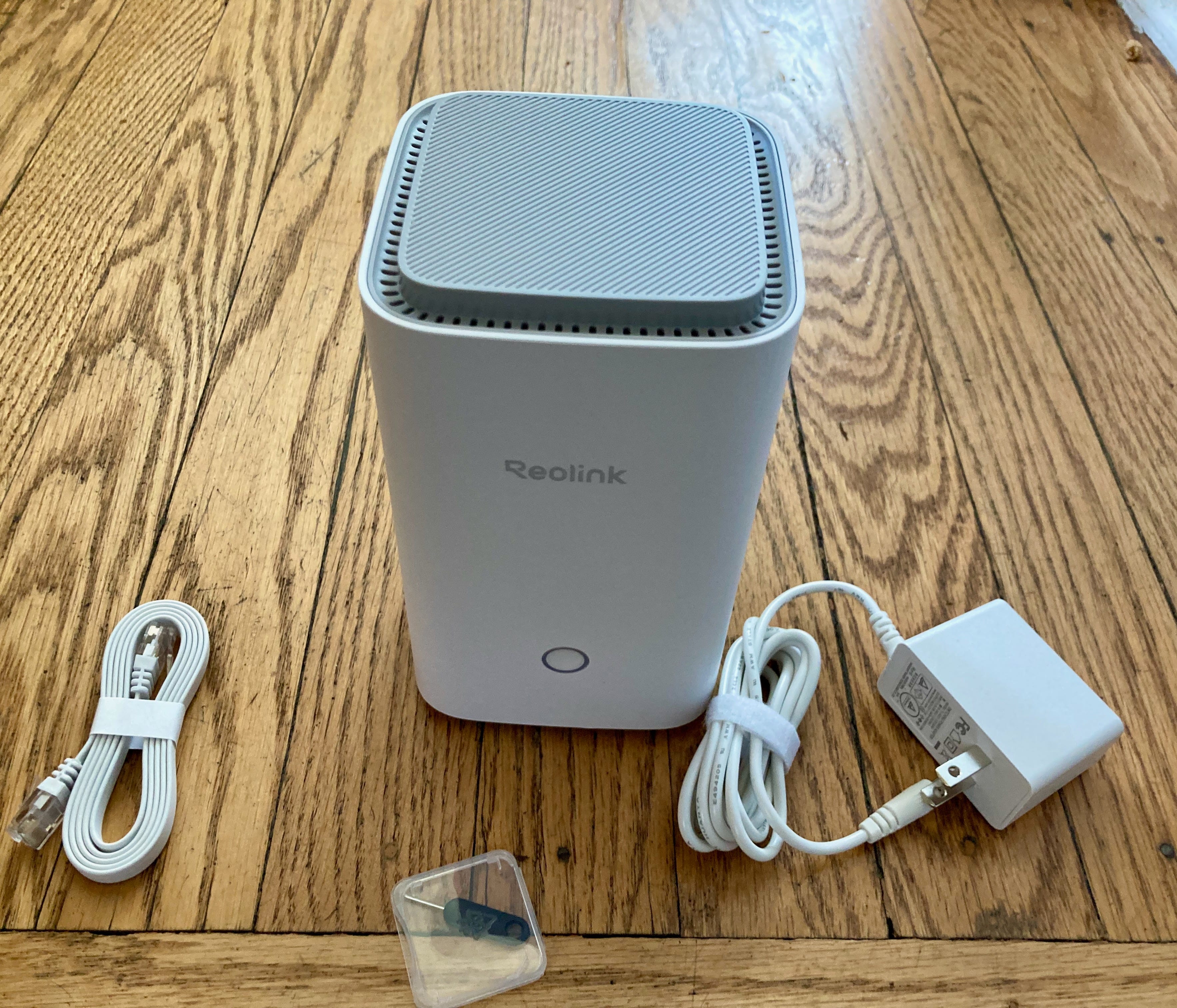
Reolink Home Hub: in review
Get your camera recordings stored locally
These days, we have no shortage of options when it comes to setting up security cameras. Do you want to be wired or wireless? Do you want to hard-wire your cameras, or do you want them battery powered? What about video clip storage - do you want that on-camera, in the cloud, or somewhere else? For us, we like the idea of storage being local, so we retain control over the data. That’s where the Reolink Home Hub comes in.
Reolink Home Hub: what it is
The simplest way to think about the Reolink Home Hub is that it’s a WiFi router that plugs into your network. By that, we mean it sets up it’s own WiFi network that you can then connect the security devices to. This allows you to keep the cameras on the property from interfering with, say, your tablet’s connection, and vice versa.
What it also brings along is some additional storage. We’ve taken a look at a few Reolink cameras (and have a few more reviews in the works), and they’ve always done a good job of putting a microSD slot right on the camera, for you to then retrieve recordings from later. Well, what if someone absconds with your camera? You’re up a creek - unless the Reolink Home Hub is in the mix.
The Reolink Home Hub comes with two microSD slots built in, allowing it to have up to 1TB of storage, safely tucked away in your house (it ships with a 64 GB card). So, even if your camera is damaged or otherwise disappears, those recordings are elsewhere. Still local to you, just not local to the camera.
Setting it up
That image up above really shows the steps - they’re pretty simple. Once it has power and a hardwired ethernet connection, you set the hub in in the Reolink app on your phone. Then, you can get your existing cameras moved over from your home WiFi network to the new Reolink-specific one the hub creates. You can choose if you want it to spin up 2.4GHz or 5GHz bands, and you can name them as well as set your customized passwords on each. Additionally, you can setup encryption on the records the Home Hub stores, for extra piece of mind.
Wrapping things up
The Reolink Home Hub can handle up to 8 cameras (we presume to manage the networking and storage), or you can go to the Pro version with handles up to 24 cameras. For me, the Reolink Home Hub adds some additional piece of mind - and redundancy - to my home camera setup. No, you don’t need it to run many of their cameras (they’ll happily communicate directly to you via the app), but I think it’s a good addition to the eco system. Particularly if you’ve decided that you’re going all Reolink, and not a mix of products.
The Reolink Home Hub is available now, with an MSRP of $139.99 (the Pro version goes for $339.99, and adds in wired camera support). However, they often have deals, and right now, it’s at 20% off, so a price of $111.99. You can get it from Amazon, or directly from reolink.com


